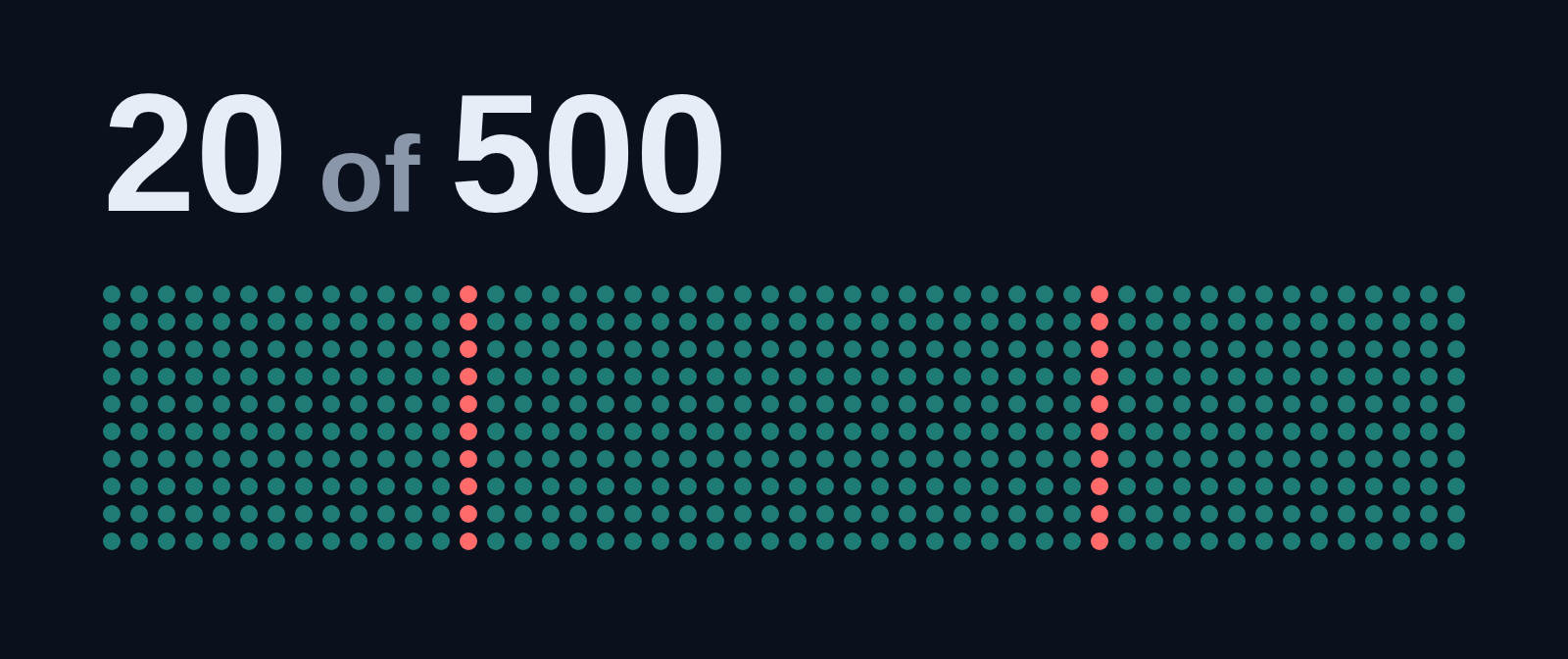
A long live event can mean dozens of inputs, each sent to a handful of destinations. Past a few streams, the question stops being "does it forward?" and becomes "can I still see what is happening without the screen turning into noise?"
Bunryu was tested with up to 50 inputs and 500 outputs on one server. Here is what the dashboard showed and how the control plane performed.
How we tested
We started the isolated test stack that ships with the repo, created 50 pipelines, and gave each one 10 outputs: 500 in total, the supported maximum. Every pipeline had a live input: a looped 720p clip published over RTMP. All 500 outputs were running.
One thing to know before looking at the pictures: the outputs are simulated. Each one is a stand-in for FFmpeg that reports progress and sends nothing over the network. The control plane, SRS, the inputs and the dashboard are real, so this shows what the dashboard looks like and what it costs the control plane. It does not show FFmpeg's own CPU and RAM, which our sizing page covers separately. The machine was an 8-core laptop shared with other work.
The overview
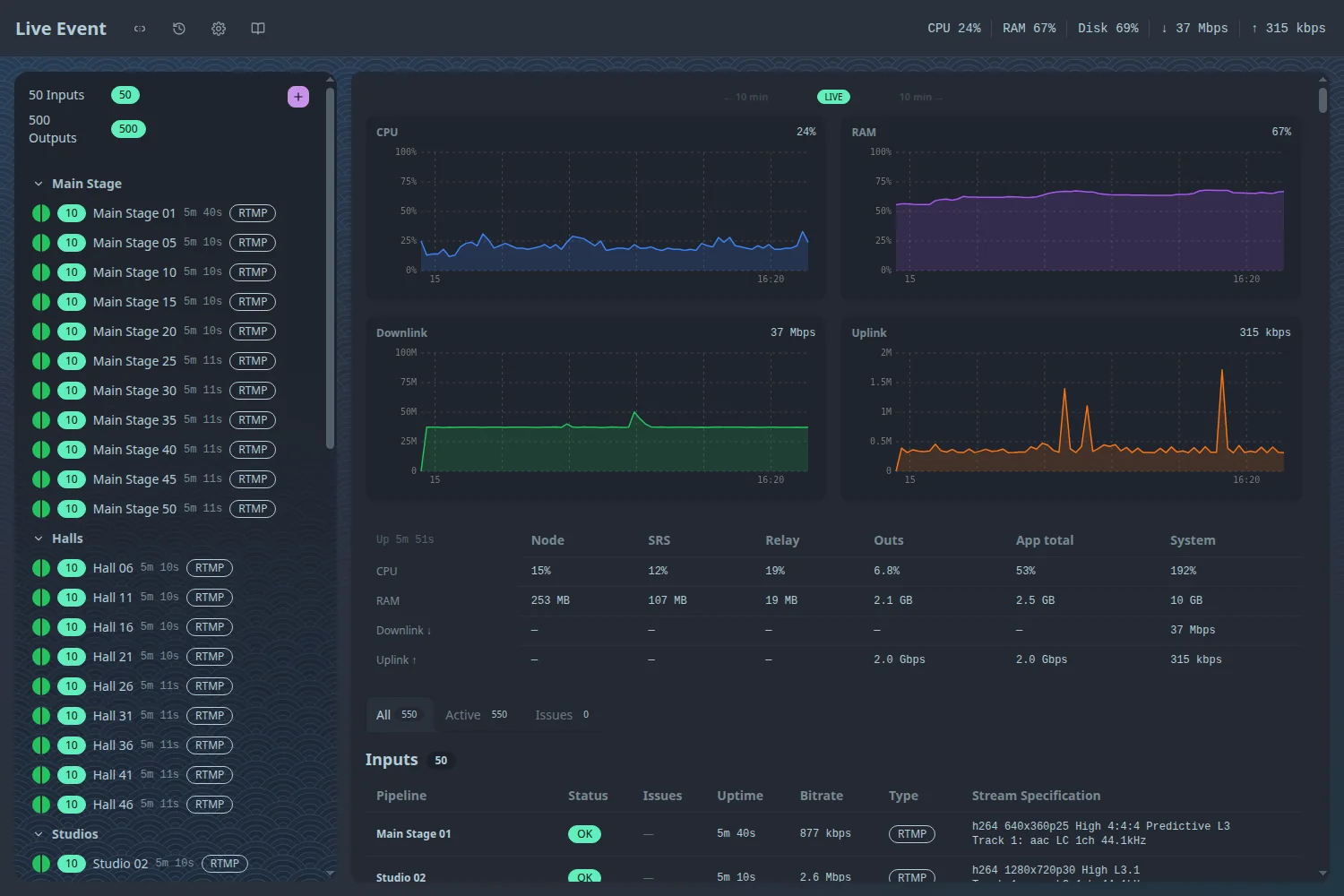

The left column lists every pipeline, organized into groups (here Main Stage, Halls, Studios, Chapels and Plaza). Each row has a status dot, its output count, its name, how long it has been up and its input protocol. The totals at the top say "50 inputs, 500 outputs" with a green badge for each. To the right are the host's CPU, RAM and network charts and a table of what each process costs.
Below that are two lists: every input, then every output.
When something goes wrong
The useful test of a big dashboard is whether a problem shows up without hunting for it. We took two of the 50 inputs offline and watched.
Within a few seconds:
- The totals changed to 48 live inputs and 480 healthy outputs, with a yellow 20 for the outputs that belong to the two dead inputs.
- The two pipelines turned yellow in their groups in the sidebar.
- The Issues tab narrowed the output list to those 20 outputs.
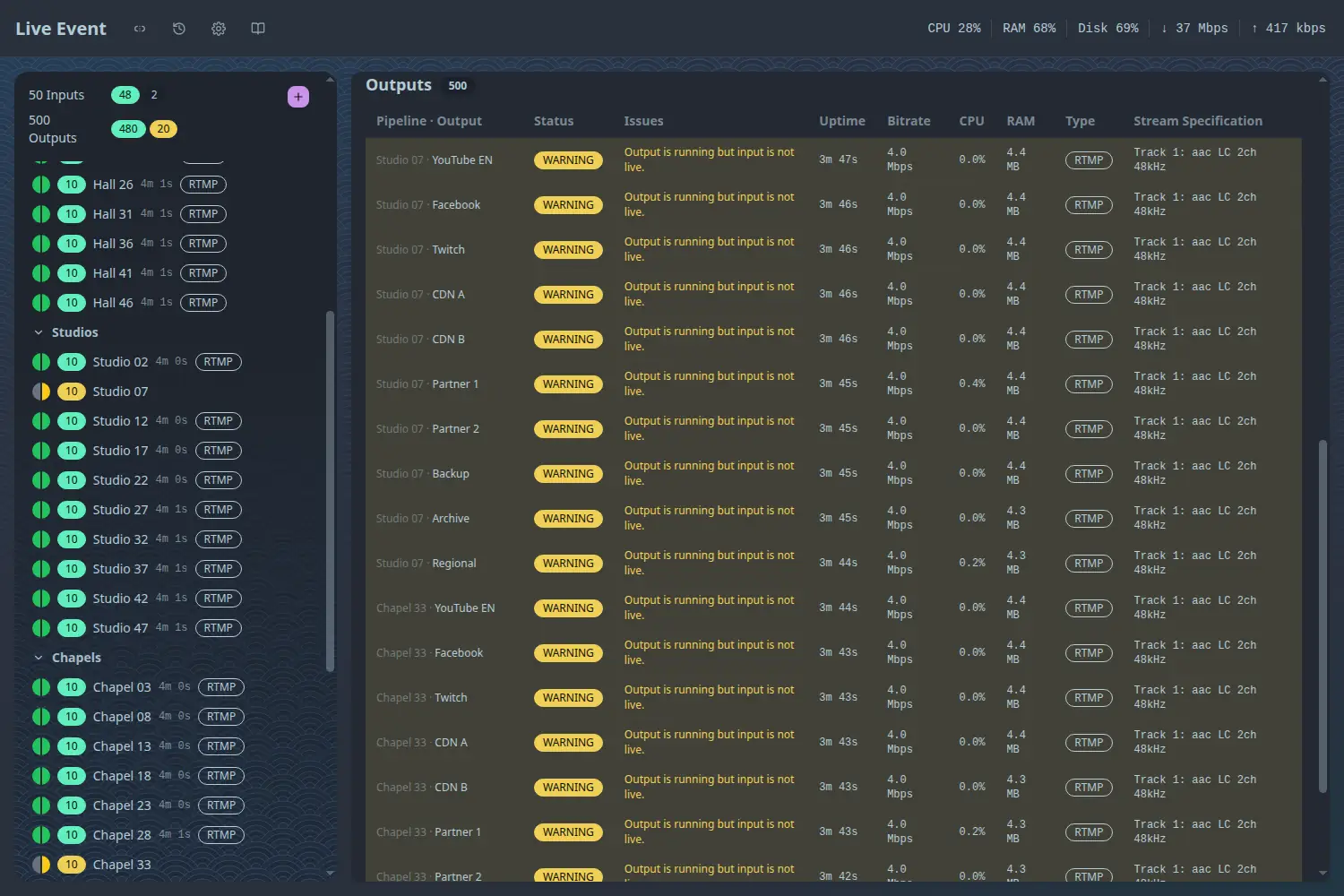
Each row says why: "Output is running but input is not live." The outputs were not failing; they were waiting for an input that was no longer live, and that is what the dashboard told us.
One pipeline at a time
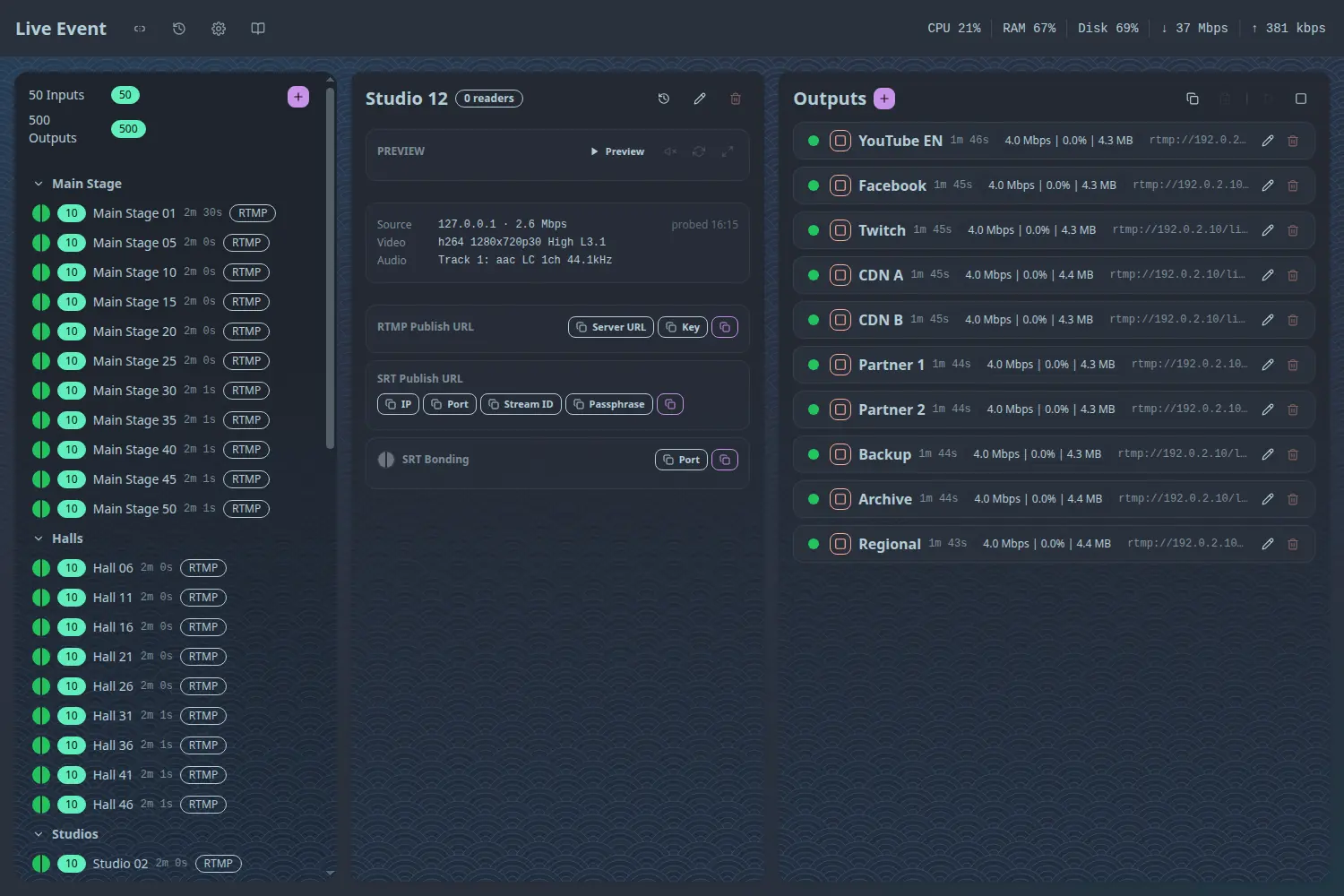
Opening a pipeline shows its input, its publish URLs and its 10 outputs on one screen, each with status, uptime, bitrate and memory. A group of ten outputs fits without scrolling, which is the level you work at when you are adjusting one destination.
What it costs
| Measure | Result |
|---|---|
| Control plane with one dashboard open | about 17% of one core, 251 MB of RAM |
/api/health, fetched every 5 s by each dashboard |
296 KB, 18 KB gzipped, about 30 ms to produce |
| Dashboard first render (headless Chrome, locally) | 0.7 to 0.8 s (one of four runs took 1.3 s) |
| Overview page length | about 28,000 px, roughly 32 screens |
These are the control plane's costs. A real 500-output server also runs 500 FFmpeg processes. Our sizing page puts that at about 30 vCPUs and 17 to 30 GB of RAM at 8 Mbps per output.